
Using Secure Print on HP Printers
Secure Print is a protocol that allows employees to print secure documents to a shared printer. When you activate secure printing, you choose a PIN number, the printer will hold the document for you until you enter your PIN at the printer.
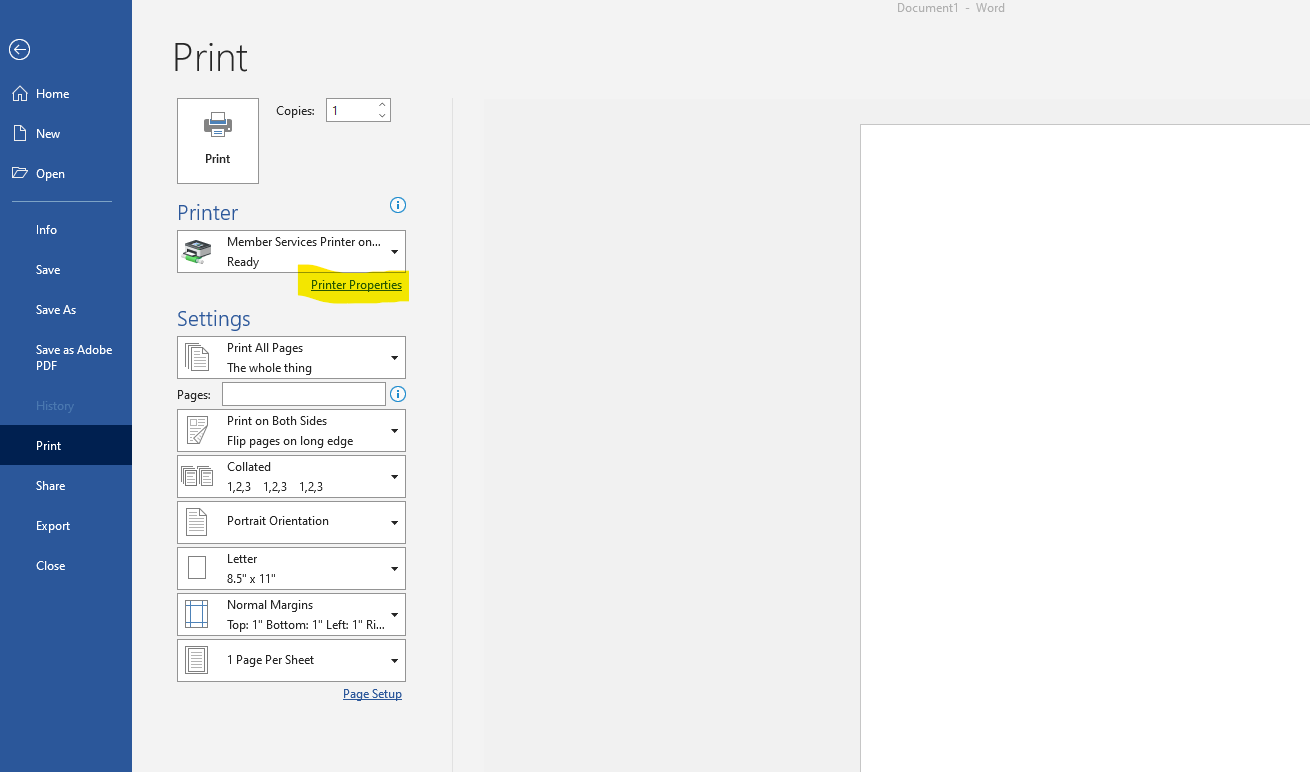
In order to activate Secure Print, select Printer Properties in the print menu as shown below.
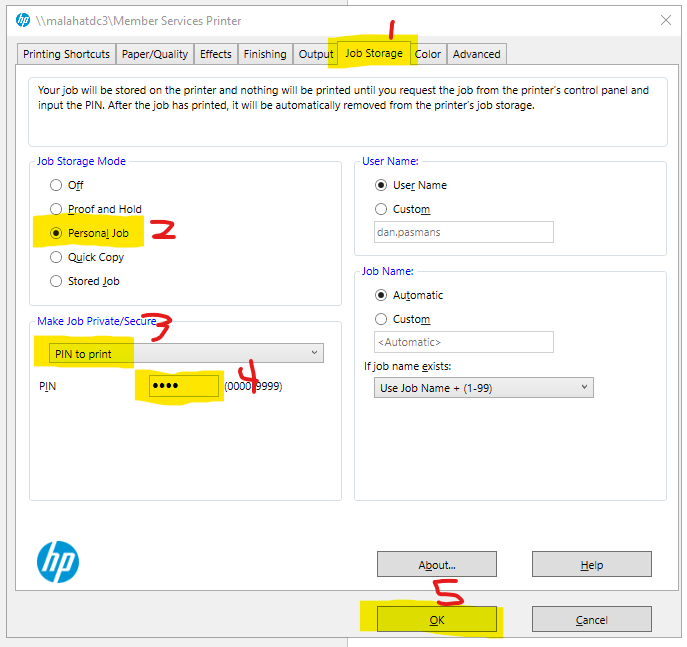
Next (as shown below),
- select the Job Storage tab
- select Personal Job
- select PIN to print
- set your PIN
- Click OK
Now you can print as normal! Your job will be securely held until you walk to the printer and enter your PIN number.
No comments to display
No comments to display