
Updating Microsoft Office Through Windows Update
There is a new bug in Office going around that causes Outlook to lock itself out. It tells you that it needs to be updated, but there is no obvious way to update. Follow these instructions to fix your issue:
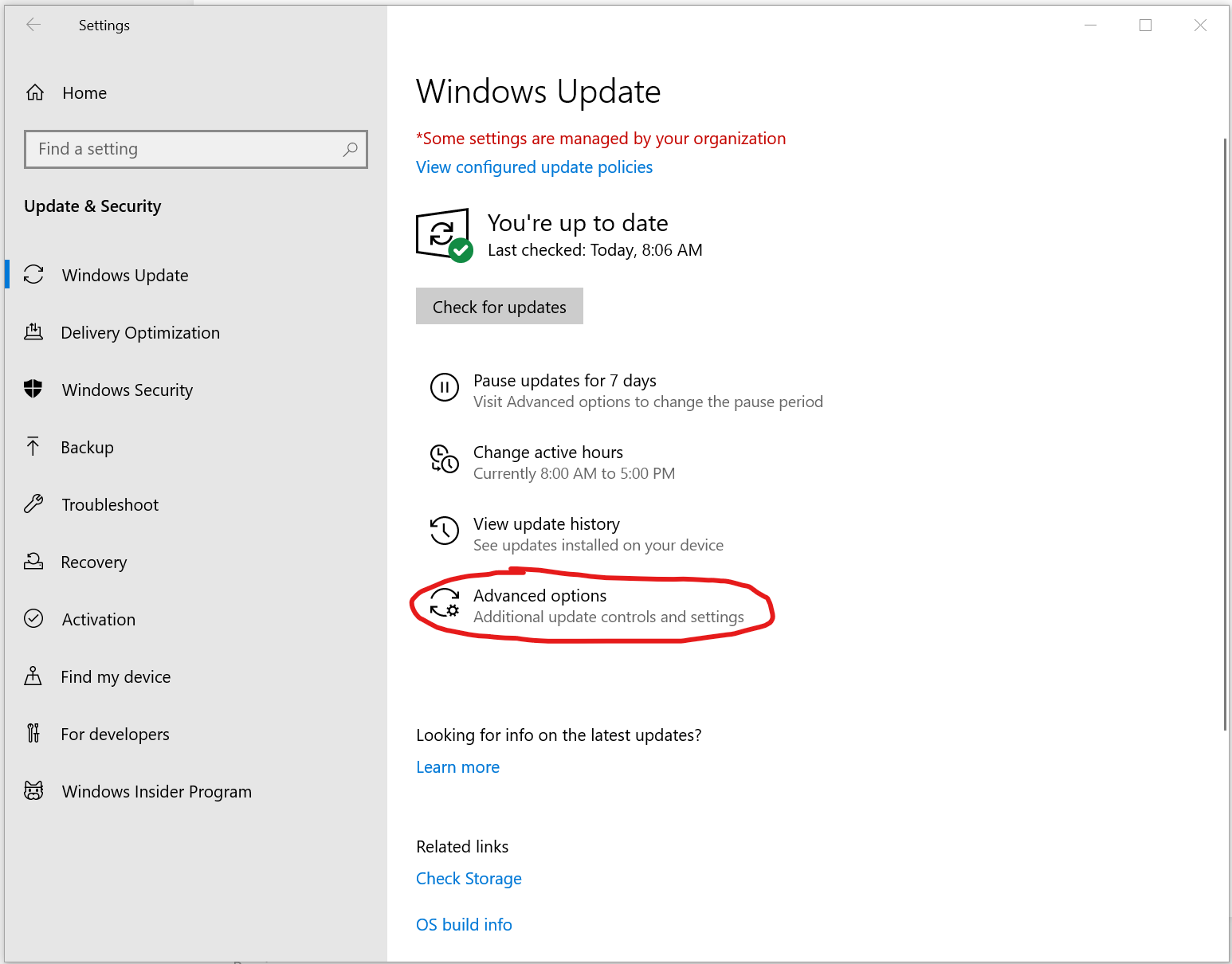
1. Open Update & Security (through the Settings menu). Navigate to Advanced options (as shown below).
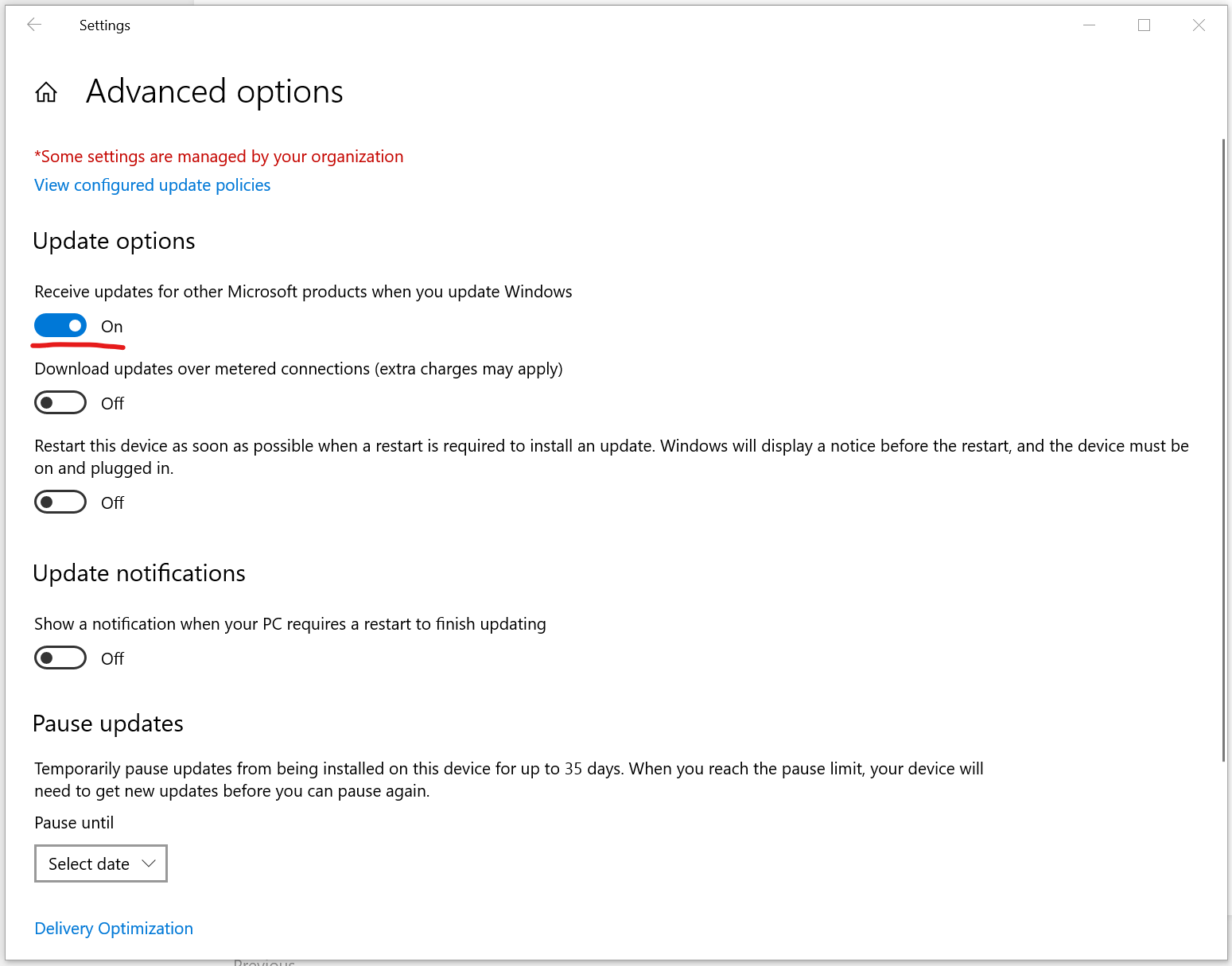
2. Toggle On the option to Receive updates for other Microsoft products when you update Windows
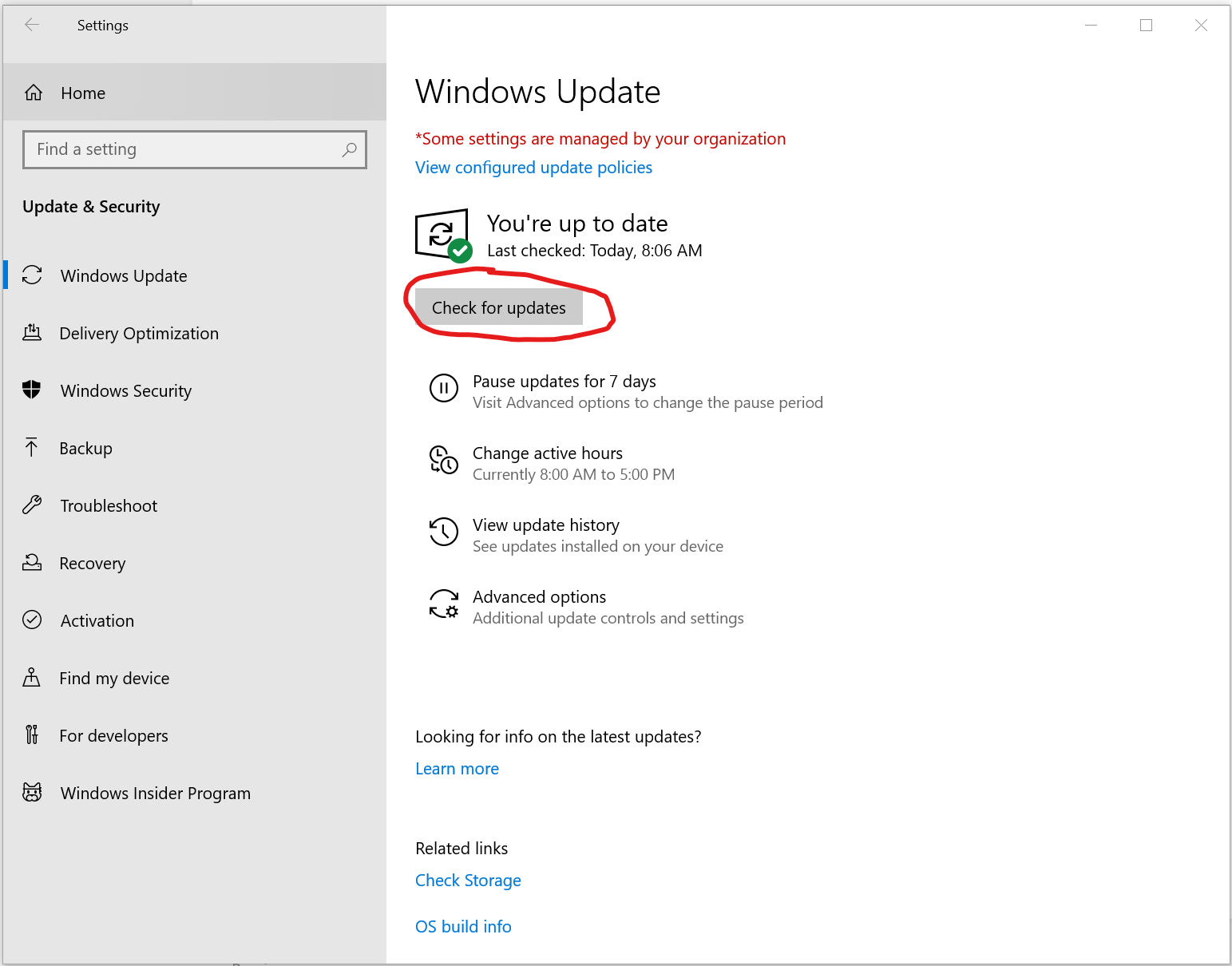
3. Go back to Update & Security and click Check for updates
4. Install all updates, restart your computer and you should be all good to go!
No comments to display
No comments to display